



How to Comment Anonymously on Facebook Group (Full Guide)
MarioAgency Daily Tech How to Comment Anonymously on Facebook Group (100% Working Guide)

How to Comment Anonymously on Facebook Group (100% Working Guide)

🔥 Our Telegram channel, be sure to subscribe! t.me/facebookmarioreview

Managing privacy on Facebook has become more important than ever. Many users want to participate in group discussions but prefer not to reveal their identity publicly. This is where learning how to comment anonymously on Facebook group becomes valuable. In this guide, you will discover simple, step-by-step methods to hide your profile identity while still engaging in group conversations. Moreover, you will learn smart privacy strategies and alternatives that Facebook actually allows.

When commenting anonymously, you stay safe, protect your reputation, and maintain your privacy. Additionally, many business owners and marketers prefer anonymous commenting for testing engagement, promoting content, or tracking audience behavior. Therefore, understanding how to comment anonymously on Facebook group is extremely useful for personal, professional, and marketing purposes.

What Does Anonymous Commenting Mean on Facebook?

how to comment anonymously on facebook

Anonymous commenting means posting in a Facebook Group without showing your real profile name or image. Although Facebook does not allow fully anonymous commenting everywhere, it does offer a special feature called Anonymous Posts inside Parenting Groups or Support Groups.

However, many people need anonymity in regular groups too. Because of that, users use alternative methods such as secondary profiles or aged accounts, which are safe, verified, and trusted.

You can easily get such accounts from Mario Agency. For example, if you want a safe identity for groups, you can use an Aged Facebook Account. These accounts help you stay private and avoid restrictions.
How to Comment Anonymously on Facebook Group (Official Method)

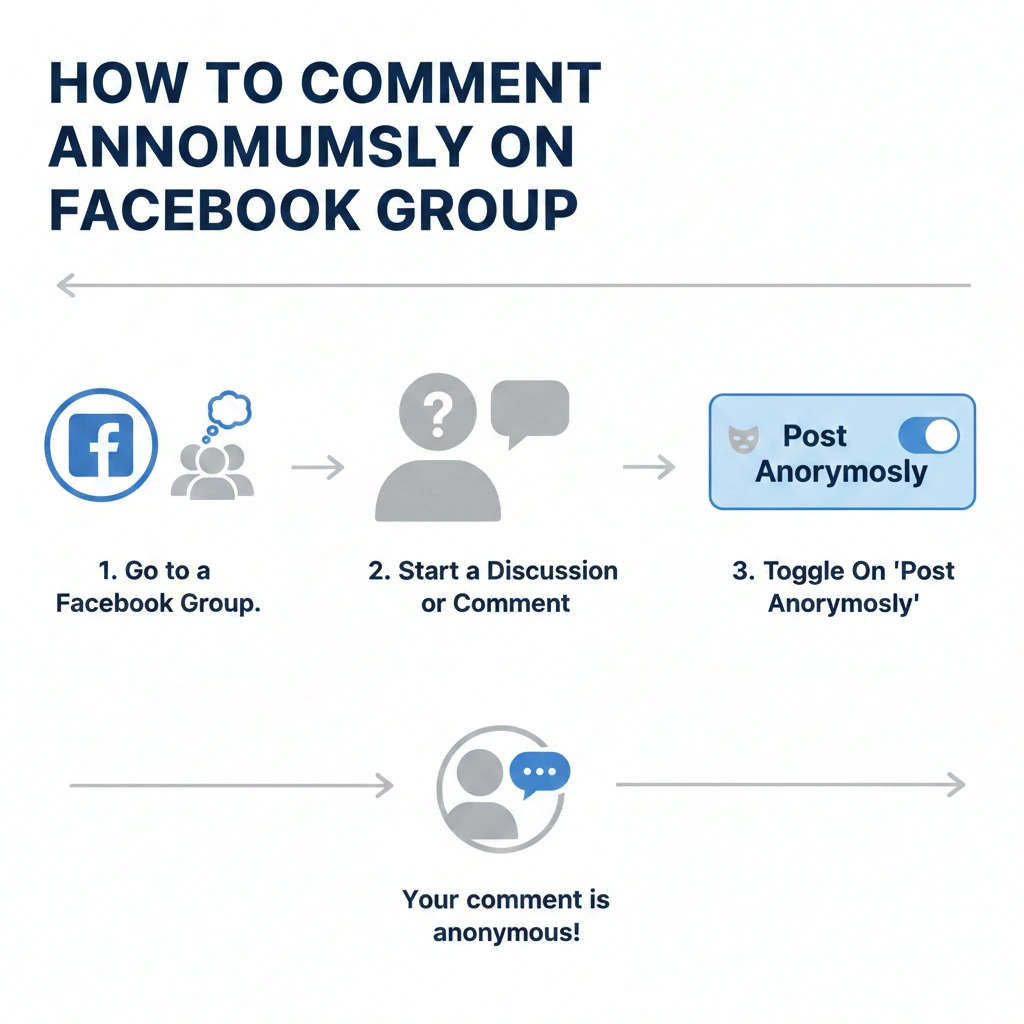
Step-by-step visual guide on how to comment anonymously in a Facebook group using the Post Anonymously feature. Step-by-step visual guide on how to comment anonymously in a Facebook group using the Post Anonymously feature.

Facebook’s official anonymous posting feature works only in support-type groups, including:

  • Parenting groups
  • Mental health support groups
  • Relationship support groups
  • Lifestyle recovery groups

If your group supports anonymous mode, follow these steps:

Step 1: Open the Facebook Group

Go to the group where you want to make the anonymous comment.

Step 2: Tap “Anonymous Post”

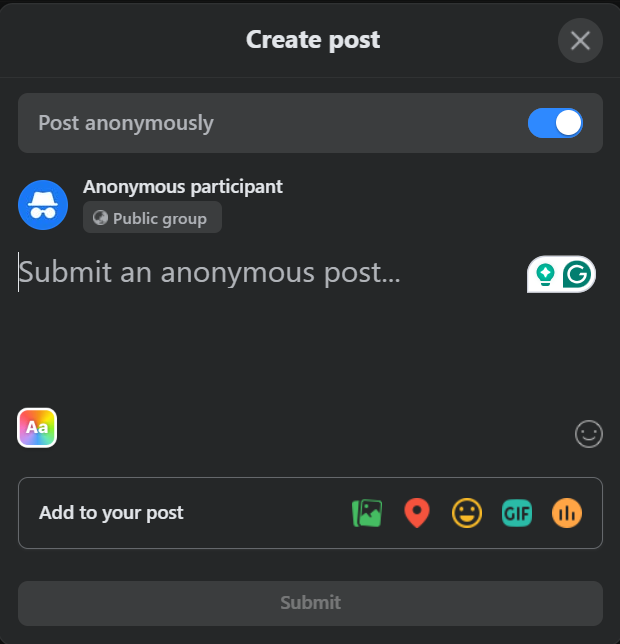
If the anonymous mode is supported, you will find an option labeled Post anonymously at the top of the post composer.

Step 3: Turn on the Anonymous Setting

Enable it to hide your identity from group members. Only admins and moderators can see your real profile.

Step 4: Write Your Comment or Post

Now type your comment. Even though it appears anonymous to the group members, Facebook still keeps your identity visible to you and the admins.

Step 5: Publish

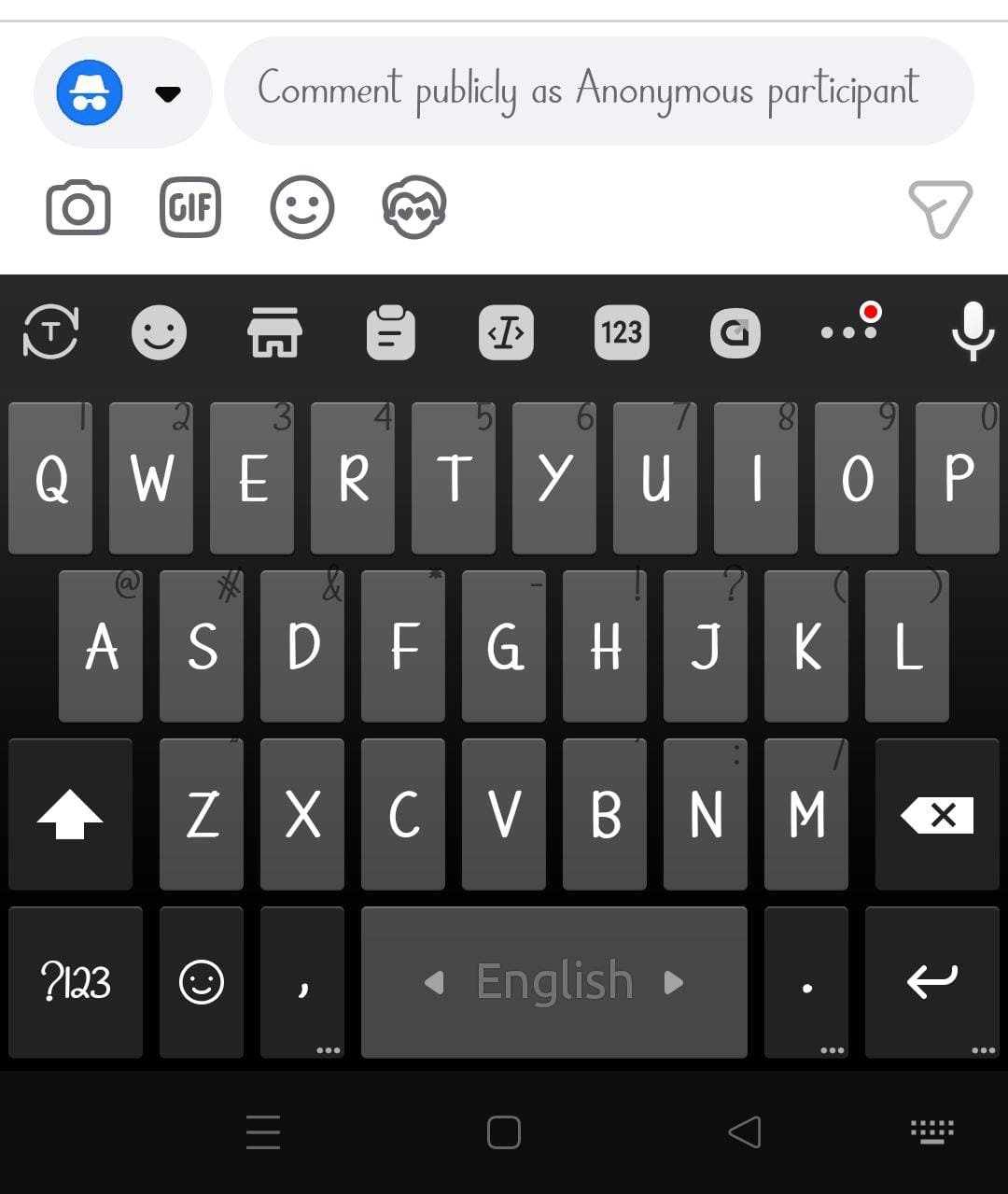
Once posted, other members will see “Anonymous User” instead of your profile name.

This is the official way of how to comment anonymously on Facebook group, but remember that this feature is limited.
What If My Facebook Group Doesn’t Support Anonymous Posts?

Most Facebook groups do not support official anonymous commenting. Therefore, you must use an alternative yet safe method.

Method 1: Use a Second Facebook Profile (Safest)

Many users prefer using a second aged Facebook profile to protect their main identity. This is the most popular method among marketers, business owners, and group managers.

You can get a high-trust profile from:
👉 Buy Aged Facebook Account
These accounts are ideal for:

  • Group comments
  • Page engagement
  • Marketplace activity
  • Business Manager use

Because aged accounts look natural, Facebook treats them with higher trust and lower risk.

Method 2: Use a Facebook Page to Comment

Facebook also allows you to comment using a Page inside some groups.

Steps:

  1. Join the group as your Facebook Page
  2. Switch your comment identity to the Page
  3. Comment using your brand name instead of your profile name

This helps you stay private while protecting your personal account.

If you need a strong page with history, you can use:
👉 Buy Old Facebook Fan Page (2017–2022)

An aged page helps build credibility and avoids restrictions.

Method 3: Create a Business Manager Identity

A Business Manager gives you enhanced security and privacy tools. When running ads, joining groups, or managing assets, your real profile stays hidden behind your business structure.

If you don’t already have a Business Manager, you can get one here:
👉 Buy Facebook Business Manager

For unlimited ad account flexibility, you can also use:
👉 BM5 Nolimit – 5 Ad account No Daily Limit

Method 4: Create a Marketplace-Optimized Profile

Many users join groups to sell products. If you’re doing business, you might prefer not to reveal your main identity when commenting in marketplace groups.

You can use:
👉 Buy Facebook Marketplace Accounts

These accounts are verified for buying, selling, and group posting.

Why Do People Prefer Anonymous Comments on Facebook Groups?

how to comment anonymously on facebook group how to comment anonymously on facebook group

  • There are several reasons why the anonymous feature is becoming popular:
  • ✔ Protect Personal Identity
  • You might want to discuss sensitive topics without exposing yourself.
  • ✔ Avoid Unwanted Messages
  • Public comments often attract spam messages or friend requests.
  • ✔ Participate Without Judgement
  • You can ask questions freely without embarrassment.
  • ✔ Test Engagement for Marketing
  • Marketers use anonymous or secondary profiles to test content performance before using their main brand.
  • ✔ Manage Multiple Group Activities
  • If you handle business accounts, using a separate profile maintains privacy and professionalism.

Tips to Stay Fully Safe While Commenting Anonymously

Follow these privacy tips to stay 100% protected:

  • ✔️ Avoid sharing personal details
  • ✔️ Use a separate aged profile for sensitive discussions
  • ✔️ Join groups with your Facebook Page where possible
  • ✔️ Keep your privacy settings on “Friends Only”
  • ✔️ Turn off profile visibility in search engines

Using a verified aged account from Mario Agency gives additional safety because such accounts already have history and trust.

❓ FAQ Section

1️⃣ Can you comment anonymously on Facebook?

Yes, but only in Facebook Support Groups. For other groups, you must use alternatives such as a second profile or a Facebook Page.

2️⃣ How do I anonymously comment on a Facebook group without anyone knowing?

Use a second aged account or switch to your Facebook Page identity. Both methods ensure your main profile stays hidden.

3️⃣ Why don’t I see the anonymous post option?

Your group does not support anonymous mode. Only parenting or support groups have this feature.

4️⃣ Is using another Facebook account safe for anonymous comments?

Yes, if the account is aged and trusted. Fresh accounts may get locked. You can use trusted profiles from Mario Agency for safety.

🎯 Conclusion

Learning how to comment anonymously on Facebook group is essential for maintaining privacy, confidence, and control over your online identity. Whether you use Facebook’s built-in anonymous feature or rely on trusted aged accounts, you can stay fully safe and active in group discussions.

If you need verified, safe accounts for anonymous activity, you can use Mario Agency’s trusted products mentioned in this guide.

Read More on @Mario Academy 

Get24/7 Instant Live support on Telegram | WhatsApp

Get Connected with us on Facebook | X | Instagram | YouTube Reddit |Pinterest | TikTok

Back to Top

Search For Products

Product has been added to your cart